Information architecture
Separate destination pages create an understandable structure for visitors browsing different European countries.
Educational Website · Travel & Tourism
A Bootstrap student travel website with eight destination pages and a detailed, structured inquiry form for prospective travellers.
This case study documents the original project and its visual direction; the external student website is preserved as originally published.
Project overview
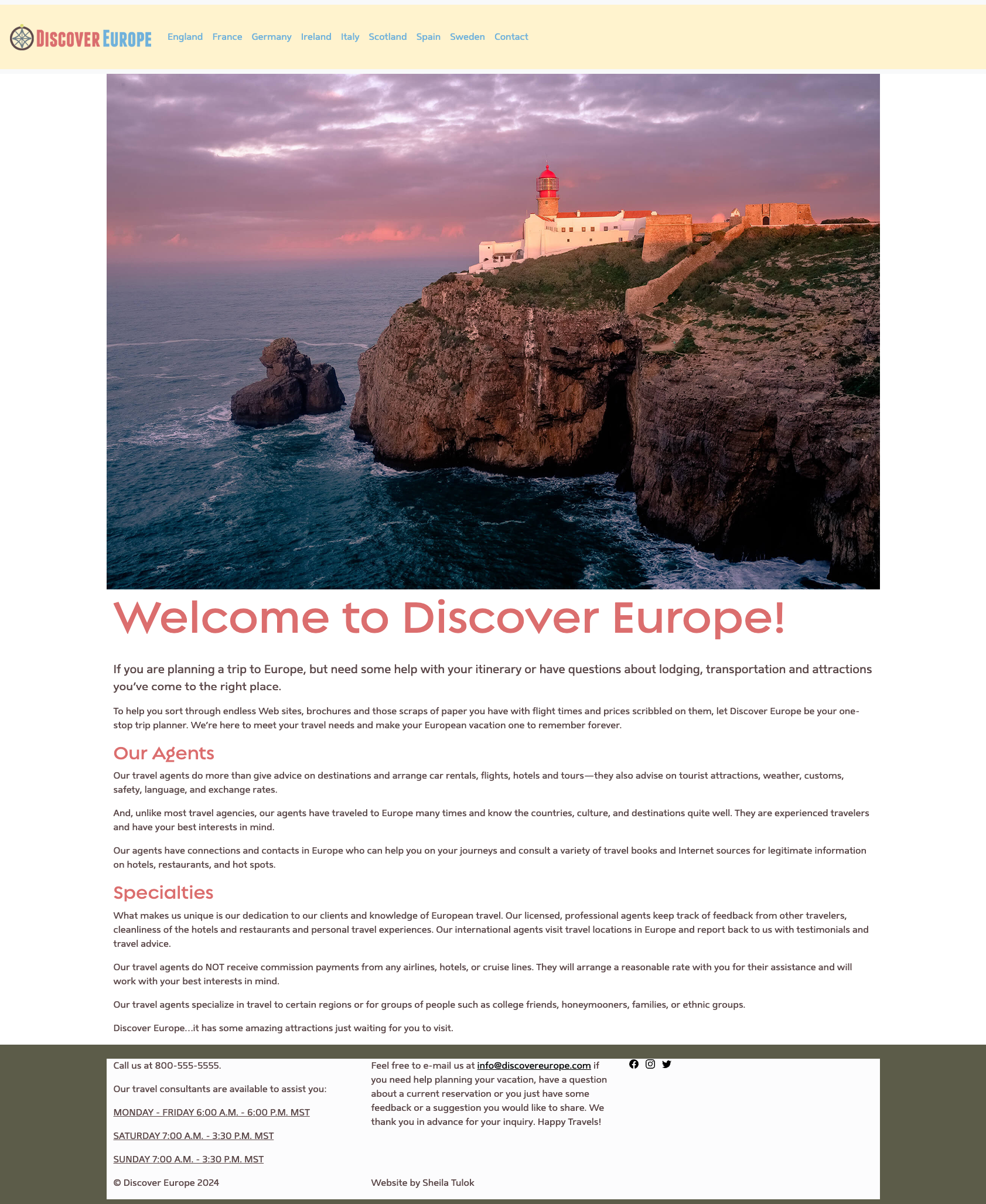
The student website organizes travel-related information for visitors considering a European trip. Its navigation includes England, France, Germany, Ireland, Italy, Scotland, Spain, and Sweden, alongside a contact page.
Separate destination pages create an understandable structure for visitors browsing different European countries.
The homepage introduces trip planning, travel agents, lodging, transport, activities, and destination knowledge.
The dedicated contact page combines a responsive two-column form layout, text inputs, select menus, date pickers and a comments field to collect travel preferences in an organized way.
Featured design element · Bootstrap
The contact page is a key part of this student project. Built with Bootstrap's grid and form styling, it uses paired fields to make a detailed travel inquiry easier to scan, with a wider comments area and prominent submit action. The form below is a visual, non-submitting representation of the original interface.
Visual mockup only — no information is collected or sent.
Paired fields are organized in two columns on larger screens to make good use of the available width.
First and last name, telephone, email address, and departure airport collect essential contact and trip details.
Age, student status, preferred country, and travel interests are gathered through consistent dropdown controls.
Departure and return date fields allow travellers to specify their preferred schedule.
A full-width multiline comments area provides room for additional details, followed by a clearly visible Submit button.
Bootstrap form validation
The original contact form demonstrates Bootstrap-style validation. When a required field is missing, a red border, warning icon, and specific message identify what needs to be completed. A field with valid input can display a green outline and checkmark. This example reproduces the states visible in the student website screenshot, without submitting any information.
Static visual demonstration of the original form's validation appearance. Green dropdown styling is shown as it appeared in the screenshot; it does not establish that a meaningful option was selected.
Invalid fields receive a red outline, alert symbol, and field-specific instruction directly beneath the input.
The Last Name field displays a green border, checkmark, and the confirmation “Looks good!”
The validation highlights unanswered departure and return dates and the preferred departure airport, helping users correct omissions.
Colour, icons, and short text work together so visitors can quickly distinguish accepted entries from fields needing correction.
The visual states demonstrate front-end feedback; they do not by themselves prove that the form sends data to a working booking system.
Visual exploration
A retrospective presentation inspired by the existing travel theme, rather than a claim that these were the original planning materials.
Creative direction
Exploration, culture and discovery.A travel-oriented identity supported by country navigation and accessible introductory content.
Suggested colour story
Navy, coastal teal, sea glass and parchment — an interpretive palette for this presentation.
Typography
Editorial serif headings complemented by readable sans-serif text in this case study.
Travel imagery
Destination photographs and travel-related visuals help distinguish locations and build curiosity.
Destinations
Content structure
A simplified full-page reconstruction of the original homepage's information hierarchy, based on the published content.
Retrospective illustration, not an original pre-production wireframe. Some content blocks are grouped for clarity.
Original educational website
Explore the original multi-page student project, including its individual country pages. It opens in a new tab so you can easily return to the portfolio.